Dispatch an action in react-redux
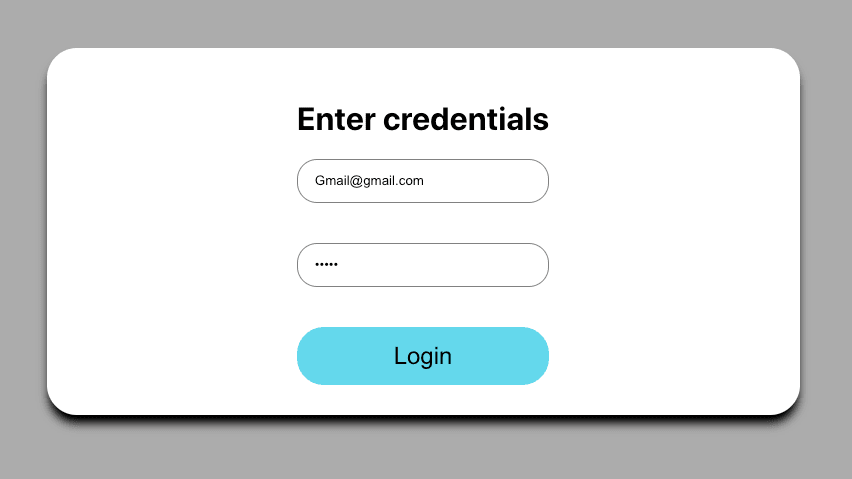
In this chapter, we will learn how to dispatch an action in react-redux. In the login form, there is a button login, when a customer clicks on the button we want to submit the form.
import React, { useState } from 'react';
import { connect } from 'react-redux';
import { emailValidator, passwordValidator } from '../../utils/validation';

const LoginForm = (props) => {
    const [email, setEmail] = useState({ value: '', error: '', class: '' });
    const [password, setPassword] = useState({ value: '', error: '', class: '' });
    const [isFormValid, setisFormValid] = useState(false);
    const validateForm = () => {
        const validateEmail = emailValidator(email.value);
        const validatePassword = passwordValidator(password.value);

        if (validateEmail) {
            setEmail({ ...email, error: validateEmail.message, class: validateEmail.class });
            setisFormValid(false);
            return false;
        }
        if (validatePassword) {
            setPassword({ ...password, error: validatePassword, class: validatePassword.class });
            setisFormValid(false);
            return false;
        }
        setisFormValid(true);
        return true;
    }
    return (
        <div className='form'>
            <h1>Enter credentials</h1>
            <input
                type="text"
                name="email"
                value={email.value}
                className={email.class}
                placeholder="Email"
                onChange={e => setEmail({ value: (e.target.value), error: '', class: '' })}
                onBlur={()=>validateForm()}
            />
            <input
                type="password"
                name="password"
                className={password.class}
                value={password.value}
                onChange={e => setPassword({ value: (e.target.value), error: '', class: '' })}
                placeholder="Password"
                onBlur={()=>validateForm()}
            />
            <button disabled={!isFormValid} onClick={props.onLogin}>Login</button>
        </div>
    )
}

const mapStateToProps = state => {
    return {
        isEmployeeLoggedIn: state.login.isEmployeeLoggedIn
    }
}

const mapDispatchToProps = dispatch => {
    return {
        onLogin: () => dispatch({
            type: 'LOGIN'
        })
    }
}
export default connect(mapStateToProps, mapDispatchToProps)(LoginForm);
As we can see in the above code snippet, when a customer clicks on the login button, we are dispatching an action of type LOGIN. In the button onClick we have used props.onLogin.