Dictionaries in python with example
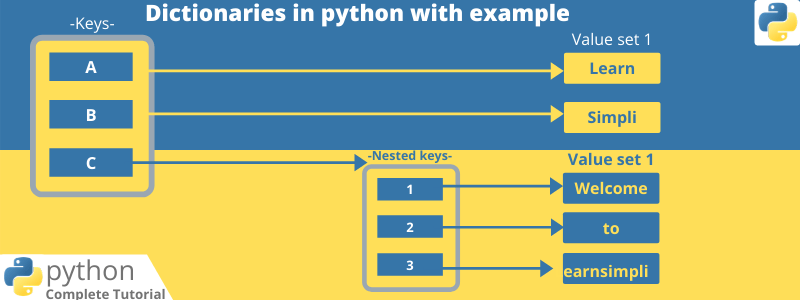
In this chapter, you will learn about, dictionaries in python with examples.
- Dictionaries store an object’s with key-value pairs
- The value of properties can be accessed with the help of key
- Dictionaries can be defined with curly braces
- Dictionaries are unordered
- Dictionaries cannot be sorted
Now let’s create a dictionary in python,
employeeDetails = {
    'name': 'John',
    'department':'IT',
    'email':'john@email.com'
}

print(employeeDetails)

# output
# {'department': 'IT', 'name': 'John', 'email': 'john@email.com'}
Now let’s see how to access the value with the help of key
employeeDetails = {
    'name': 'John',
    'department':'IT',
    'email':'john@email.com'
}

print(employeeDetails)
# now let access the element
print('Employee name : '+ employeeDetails['name'])
# output
# {'department': 'IT', 'name': 'John', 'email': 'john@email.com'}
# Employee name : John
Use the key to access the value, no matter how depth the nested objects are, for example for accessing
employees = {
    'names': ['John','Stark','Mickel'],
    'id':[123,456,234],
    'address': {'home':'78, street no 1', 'office':'45, street no 4'}
}

print(employees)

# access home address
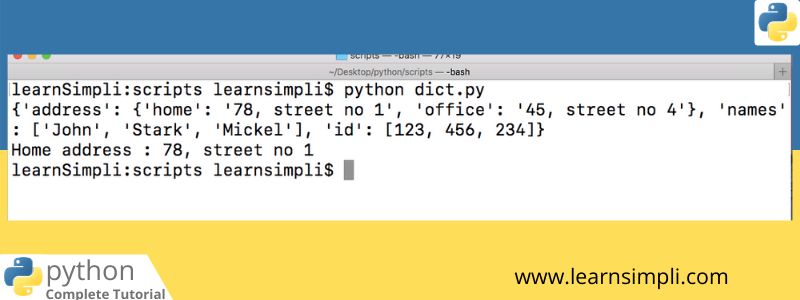
print('Home address : '+employees['address']['home'])
# output
# {'address': {'home': '78, street no 1', 'office': '45, street no 4'}, 'names': ['John', 'Stark', 'Mickel'], 'id': [123, 456, 234]}
# Home address : 78, street no 1
You can use the method keys() and values() in order to get all keys in the dictionary and values, let’s see an example
employees = {
    'names': ['John','Stark','Mickel'],
    'id':[123,456,234],
    'address': {'home':'78, street no 1', 'office':'45, street no 4'}
}

# access home address
print('Printing keys...')
print(employees.keys())
print('Printing values')
print(employees.values())

# output
# Printing keys...
# ['address', 'names', 'id']
# Printing values
# [{'home': '78, street no 1', 'office': '45, street no 4'}, ['John', 'Stark', 'Mickel'], [123, 456, 234]]
One thought on “Dictionaries in python with example”
Comments are closed.